BIURET / PLAYGROUND Your next task, made simpler. A small collection with a clear purpose: turn everyday friction into a useful next step. Start with what you need, then choose your tool.
No account required Inputs processed locally Arabic & English
BIURET / NEXT MOVE
What would you like to do? Plan my learning Focus on one task Make JSON readable Check a fingerprint Clean up my text
THE WEB WORKBENCH
Open. Try. Make it yours. These tools run in your browser. Installed software has its own collection below, so you always know what you are opening.
Find the right tool Let Guide help you Ctrl / ⌘ K
All web tools Learning Development Security
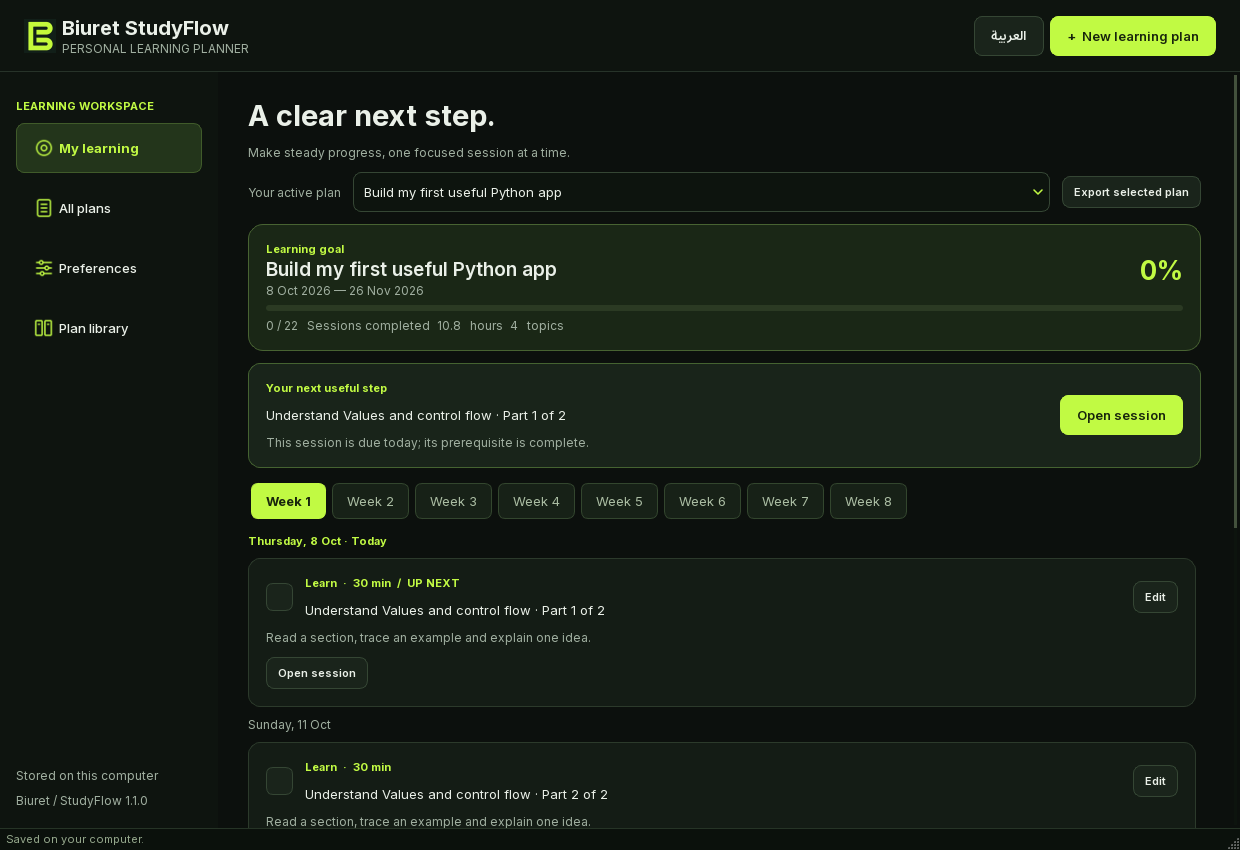
INSTALLED SOFTWARE / A SEPARATE COLLECTION One application. Two ways to work. StudyFlow also exists as a Python / PyQt6 desktop application and an English CLI. Explore the actual interface, platforms and release status separately from its web tool.
DESKTOP 1.1.0 CLI 1.0.0 Local data
Explore the programs ↗ Actual desktop interface. Executable downloads are not published here yet. Your work deserves a place to return to. Save plans, completed focus sessions and favorite tools on this device by choice. My Work keeps your next step in view.
Open My Work ↗ 01 / Clear before clever A visible purpose, a useful first step and honest limits for every tool.
02 / Private by choice Tool inputs are processed in your browser. Device saving is optional and does not sync automatically.
03 / A guide, close at hand Get page-specific steps, find the right tool and open direct links without leaving your workflow.